Showing posts with label C. TV Adverts. Show all posts
Showing posts with label C. TV Adverts. Show all posts
Thursday, 7 July 2016

Tuesday, 23 February 2016
Monday, 8 February 2016
Bibliography for History of Editing
The sources of my information, pictures etc.:
- http://www.slideshare.net/katierothery/history-of-editing
- https://www.youtube.com/watch?v=uLquz4Iz-30
- http://www.google.com/
- https://www.google.co.uk/search?hl=en&site=imghp&tbm=isch&source=hp&biw=1280&bih=899&q=shaun+of+the+dead+montage+&oq=shaun+of+the+dead+montage+&gs_l=img.3...2296.5470.0.6511.26.11.0.15.15.0.91.512.11.11.0....0...1ac.1.64.img..0.25.549.STHrXPY5u68&safe=active&ssui=on#imgrc=Z1sr_-PgYwnNTM%3A
- https://www.google.co.uk/search?hl=en&biw=1280&bih=899&site=imghp&tbm=isch&sa=1&q=shaun+of+the+dead+montage+editing&oq=shaun+of+the+dead+montage+editing&gs_l=img.3...2761.5373.0.5550.17.12.0.3.3.0.215.844.11j0j1.12.0....0...1c.1.64.img..2.8.484.hNedNoY6N48&safe=active&ssui=on#imgdii=fE66q349UzPq6M%3A%3BfE66q349UzPq6M%3A%3B7cJGCgAZ0Jt6SM%3A&imgrc=fE66q349UzPq6M%3A
- https://www.google.co.uk/search?q=shaun+of+the+dead+shaun&tbm=isch&tbs=simg:CAQSkgEajwELEKjU2AQaCAgCCBcIPQhCDAsQsIynCBpiCmAIAxIoxQ-3GvQe3g_1cD7wayw_10GbYa0w_1cLb0tqjqsLrcuwS_1ULeYtky6_1LxowKvEqNEYthRvNXprP0An5L8MnxKdq2vrVqQiO1ELljccRw_1hztUT2KN7Thj_1ayXXrIAMMCxCOrv4IGgoKCAgBEgRapnL9DA&sa=X&ved=0ahUKEwjM2ri--ufKAhWDpx4KHaXdDugQwg4IHSgA&biw=1280&bih=899&safe=active&ssui=on#imgrc=HMxuAPzyMZ--oM%3A
Thursday, 4 February 2016
Editing: History and Development
Lumiere Brothers
 It was in 1895 when the Lumiere Brothers invented Cinematographe which was 3 in 1 device the managed to record, project and capture motion picture.The Lumiere Brothers had a fantastic idea although soon after, in 1901, Edwin S. Porter proved that film didn't have to be only one long still. In 1908 D.W Griffith created a film named ''For Love of Gold" which was the very first film to feature a continuity cut when a scene cut.
D.W Griffith
 Griffiths finally realized that emotions were able to be portrayed through different camera angles and by changing the pace of the clips as well as by using the actors themselves. Griffith also got credit for the narrative of a film.He created a film called ''The Clansman'' in 1915 and this film included many camera techniques such as panoramic long shots, still shots, iris effect, panning and cross cutting shots. All these techniques are used today throughout the creation of films.
Analog editing was used before digital editing which is editing on a computer. The film negatives would be cut down and then correctly ordered to create the film. The film would then go through a machine called a Moviola. Digital editing is extremely quicker and a lot more efficient for film. There is a wide range of programs which you are able to edit film on such as Adobe Premier Pro, Final cut Pro and iMovie. All the footage is moved onto a timeline and then you are able to cut and paste the clips and re arrange them to suit your film. Once this is complete you can add in effects to change the look of your clips.
With editing films are getting more and more popular nowadays as they are easily watchable and more interesting. The camera angles, effects etc. make the films more exciting and that's the reason why the views are increasing. With editing it allows the films to flow, it also provides a narrative when using different camera angles and pace. Film editors realised in 1900 that they needed to create their films in a different way to usual so that more people will enjoy them.
Popular effects now a days are cuts, jump cuts, fades and washout. These effects are put in place so that the film is more fast paced .
The clip i have chosen is The record toss from 'Shaun of the Dead' The film is edited accurately with fast paced cuts to create tension for the viewers. The zombies are kept at a slow pace which also increases intensity.
An establishing shot is the first shot when a new scene comes up. It is used to show action to the audience, it is mostly a very wide shot or even an extreme wide shot.
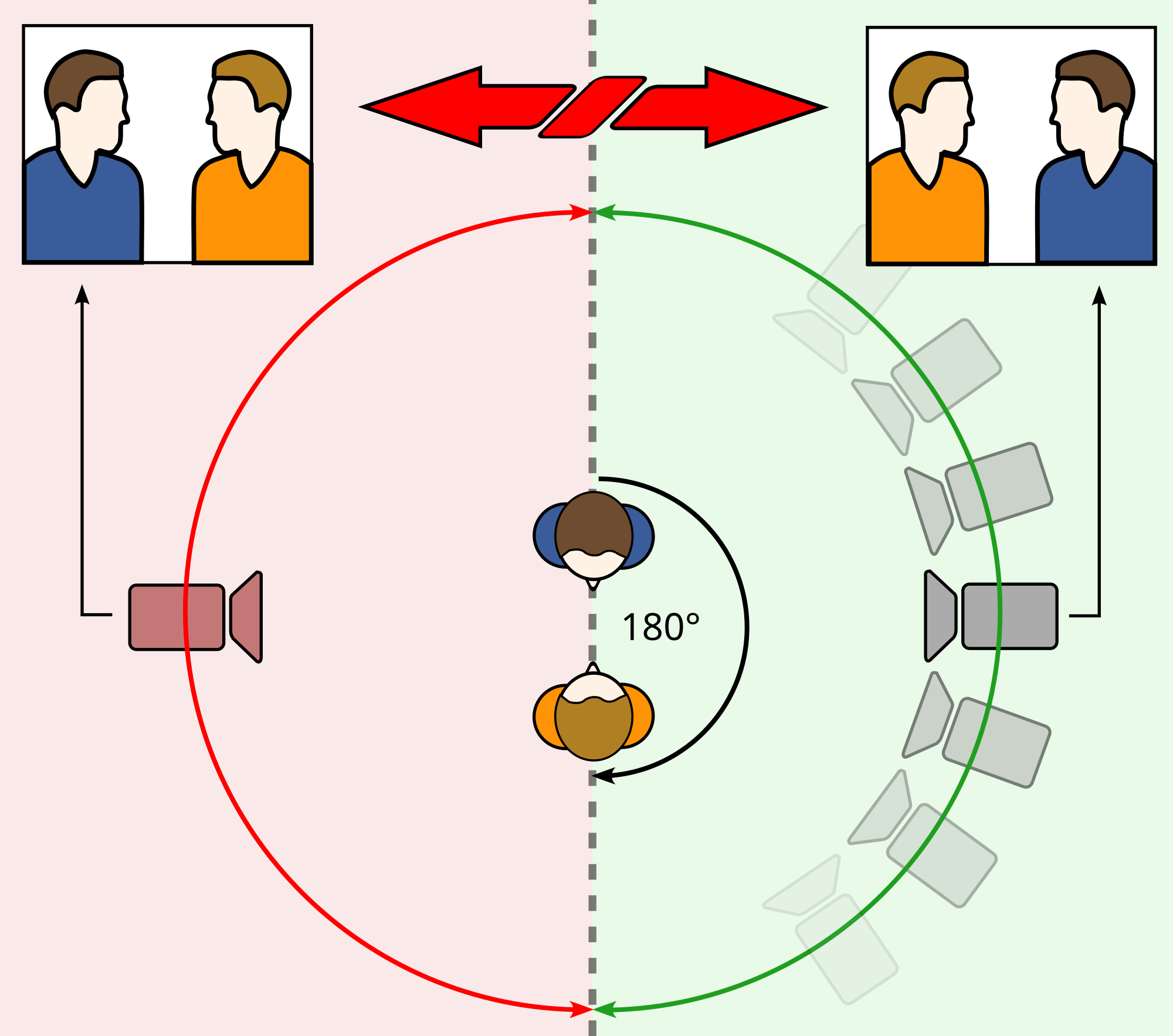
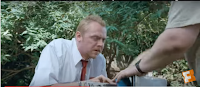
The 180° rule is a guideline which states that both characters in the scene should maintain the same position as in left and right to one another. When the camera passes over the invisible axis it is names crossing the line and then the shot becomes a reverse angle.
 This is an example from my clip using the 180° rule in my clip from Shaun of the Dead, it shows both characters and the camera switches to see both of there faces when speaking about the records, this is done to show the expression of both the actors.

Match cuts on action is a cut film editing between a few of either the different objects, two different spaces, and also two different compositions in which the objects graphically match, this helps to establish a solid continuity of action and it links both the shots metaphorically.
 (0.32)
(0:31)
A shot reverse shot is a technique which film makers use where a character is shown looking for another character who is often not on screen, you then see the other character looking back at the first character.
An eye-line match cut is a technique which film editors use and it also links with the continuity editing system. This is used to allow the viewers to see exactly what the characters are seeing. The eye-line match cut starts off with a character looking at something which is not on screen, and then followed by a cut which allows you too see the object/person they are looking at
The screen time is focused on the main character, the main actor has to have the most screen time so that the audience's attention is aimed to him. This is used so that the main character is clearly stated and you then see more of what the character is doing instead of extras and more boring scenes.
These are examples from my clip where Shaun (the main character) is on screen for pretty much the whole clip.

 (Screen time)

 The point of view shot is used to allow the audience to see the scene from the actors perspective. It is done by looking through the camera and the camera isn't focused on anyone else it is just created to look as if its from the characters view. This is an example of when the actors look down to the tv and see that there is a zombie apocalypse happening.
Close ups are used to show detail of the characters and emphasize their emotions. The viewers are drawn to their personal spacer and it allows the characters to share their feelings.
 This is an example from Shaun of the Dead from when David tried shooting Shaun's mum, you can see the anger and sadness on Shaun's face in this CU Shot ---->
A reaction shot is kind of like a close up and it implies the display of different emotions on the actors face. It is very similar to the CU shot although with the reaction shot there can be the faces of a group of actors expressing their emotions together.
Shot variation is a technique used when filming to produce a sequence of images whilst using movement. These kinds of shots include wide shots, to set the tone of the scene, long shots, to grab the audiences attention to remain on a specific character, a medium shot, used in dialogue scenes as well as action scenes to allow the audience to follow the narrative.
Montage is a technique in film editing in where there is a series of short shots which are edited into a sequence to decrease space, time and information.

 This is an example of montage editing in Shaun of the Dead showing Shaun's everyday routine with fast paced cuts.
Parallel editing/cross-cutting is a technique which shows an alternation between two or more scenes which often happen continuously after each other but in different locations.
 Editing rhythm is what editors use to keep the pace going throughout the film which is used to increase the action and keep the audience interested, it keeps the film lively, fast and aggressive. If this isn't used and slow cuts are used instead then the atmosphere of the film is quite calming and rather boring.
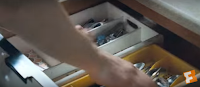
This shows editing rhythm from my clip which keeps the tension coming and the shots are fast paced and quick cuts to show danger.
Cutting the soundtrack is when the pace of the cuts are done by the speed of the song. i.e. if there is a fast action clip then the music will be upbeat and loud.
 At 1:00 in my clip the soundtrack cuts from a high pitch scary score to a fast upbeat soundtrack. This is done when they realized it is is going to be hard to kill the zombies. This technique is used to keep the views interested and creates tension. They notice that the discs would be a good way of destroying the zombies so there is a cut to the discs and then the soundtrack changes for the next scene of action.
In film and video, editors use cutaway shots to interrupt the continuously filmed action. It is usually followed by a cut back to the first shot when the jump cut is avoided by the cutaway. A jump cut is a cut in film in which two shots of the same topic are taken from slightly variable camera angles. This effect makes it look as if it is jumping forwards
 It was in 1895 when the Lumiere Brothers invented Cinematographe which was 3 in 1 device the managed to record, project and capture motion picture.The Lumiere Brothers had a fantastic idea although soon after, in 1901, Edwin S. Porter proved that film didn't have to be only one long still. In 1908 D.W Griffith created a film named ''For Love of Gold" which was the very first film to feature a continuity cut when a scene cut.
 D.W Griffith
 Griffiths finally realized that emotions were able to be portrayed through different camera angles and by changing the pace of the clips as well as by using the actors themselves. Griffith also got credit for the narrative of a film.He created a film called ''The Clansman'' in 1915 and this film included many camera techniques such as panoramic long shots, still shots, iris effect, panning and cross cutting shots. All these techniques are used today throughout the creation of films.
Analog editing was used before digital editing which is editing on a computer. The film negatives would be cut down and then correctly ordered to create the film. The film would then go through a machine called a Moviola. Digital editing is extremely quicker and a lot more efficient for film. There is a wide range of programs which you are able to edit film on such as Adobe Premier Pro, Final cut Pro and iMovie. All the footage is moved onto a timeline and then you are able to cut and paste the clips and re arrange them to suit your film. Once this is complete you can add in effects to change the look of your clips.
With editing films are getting more and more popular nowadays as they are easily watchable and more interesting. The camera angles, effects etc. make the films more exciting and that's the reason why the views are increasing. With editing it allows the films to flow, it also provides a narrative when using different camera angles and pace. Film editors realised in 1900 that they needed to create their films in a different way to usual so that more people will enjoy them.
Popular effects now a days are cuts, jump cuts, fades and washout. These effects are put in place so that the film is more fast paced .
The clip i have chosen is The record toss from 'Shaun of the Dead' The film is edited accurately with fast paced cuts to create tension for the viewers. The zombies are kept at a slow pace which also increases intensity.
An establishing shot is the first shot when a new scene comes up. It is used to show action to the audience, it is mostly a very wide shot or even an extreme wide shot.

The 180° rule is a guideline which states that both characters in the scene should maintain the same position as in left and right to one another. When the camera passes over the invisible axis it is names crossing the line and then the shot becomes a reverse angle.


Match cuts on action is a cut film editing between a few of either the different objects, two different spaces, and also two different compositions in which the objects graphically match, this helps to establish a solid continuity of action and it links both the shots metaphorically.

(0:31)
A shot reverse shot is a technique which film makers use where a character is shown looking for another character who is often not on screen, you then see the other character looking back at the first character.
An eye-line match cut is a technique which film editors use and it also links with the continuity editing system. This is used to allow the viewers to see exactly what the characters are seeing. The eye-line match cut starts off with a character looking at something which is not on screen, and then followed by a cut which allows you too see the object/person they are looking at
The screen time is focused on the main character, the main actor has to have the most screen time so that the audience's attention is aimed to him. This is used so that the main character is clearly stated and you then see more of what the character is doing instead of extras and more boring scenes.
These are examples from my clip where Shaun (the main character) is on screen for pretty much the whole clip.

 (Screen time)
 The point of view shot is used to allow the audience to see the scene from the actors perspective. It is done by looking through the camera and the camera isn't focused on anyone else it is just created to look as if its from the characters view. This is an example of when the actors look down to the tv and see that there is a zombie apocalypse happening.
Close ups are used to show detail of the characters and emphasize their emotions. The viewers are drawn to their personal spacer and it allows the characters to share their feelings.
 This is an example from Shaun of the Dead from when David tried shooting Shaun's mum, you can see the anger and sadness on Shaun's face in this CU Shot ---->
A reaction shot is kind of like a close up and it implies the display of different emotions on the actors face. It is very similar to the CU shot although with the reaction shot there can be the faces of a group of actors expressing their emotions together.
Shot variation is a technique used when filming to produce a sequence of images whilst using movement. These kinds of shots include wide shots, to set the tone of the scene, long shots, to grab the audiences attention to remain on a specific character, a medium shot, used in dialogue scenes as well as action scenes to allow the audience to follow the narrative.
Montage is a technique in film editing in where there is a series of short shots which are edited into a sequence to decrease space, time and information.

 This is an example of montage editing in Shaun of the Dead showing Shaun's everyday routine with fast paced cuts.
Parallel editing/cross-cutting is a technique which shows an alternation between two or more scenes which often happen continuously after each other but in different locations.
 Editing rhythm is what editors use to keep the pace going throughout the film which is used to increase the action and keep the audience interested, it keeps the film lively, fast and aggressive. If this isn't used and slow cuts are used instead then the atmosphere of the film is quite calming and rather boring.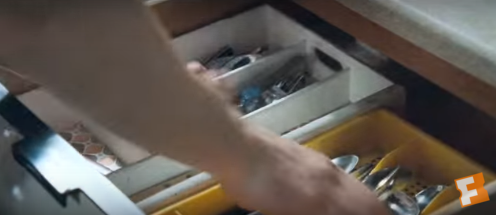
This shows editing rhythm from my clip which keeps the tension coming and the shots are fast paced and quick cuts to show danger.
Cutting the soundtrack is when the pace of the cuts are done by the speed of the song. i.e. if there is a fast action clip then the music will be upbeat and loud.
 At 1:00 in my clip the soundtrack cuts from a high pitch scary score to a fast upbeat soundtrack. This is done when they realized it is is going to be hard to kill the zombies. This technique is used to keep the views interested and creates tension. They notice that the discs would be a good way of destroying the zombies so there is a cut to the discs and then the soundtrack changes for the next scene of action.
In film and video, editors use cutaway shots to interrupt the continuously filmed action. It is usually followed by a cut back to the first shot when the jump cut is avoided by the cutaway. A jump cut is a cut in film in which two shots of the same topic are taken from slightly variable camera angles. This effect makes it look as if it is jumping forwards
Thursday, 28 January 2016
Evaluation: PG Tips Re branding
Evaluation
For this project we were given the task to re-brand a Unilever product as a group of 3. The aim was to recreate the product so it would be suitable for a different target audience. The task was to change the
target audience to any age from what is is already advertised as.
target audience to any age from what is is already advertised as.
In our group there was; Me, Liam and Toby. Before we started to plan out advert, both Liam and Toby were already analyzing PG Tips but i was initially researching Ben and Jerry's. The idea of PG Tips seemed to be a better idea as were easily able to adjust the age range. PG Tips is aimed at the older generation so we chose to create an advert suitable for teenagers.
Toby created a survey on survey monkey which was sent out to members of our class as they are all in the age range of our target audience. I thought that the survey was an easy yet effective idea to get some feedback on our work.
All the sound in our advert is sound effects off freesound.org apart from the kettle switch at the beginning, Liam placed all of the sound effects into the advert and i was really impressed with the outcome, by watching the advert it is really difficult to notice they are only sound effects, The first scene was a bit of a struggle considering i had to film the clip with my hands and not a steady cam as i had to place the camera down in the correct position which would be hard if the camera was mounted. The shot wasn't too shaky but we added a stabilizer too enhance smoothness. The stabilizer didn't work as well as we wanted as there was a little shake but it definitely improved the stability. We kept a piece of string which is the distance from the kettle and camera so that we could try and recreate the same angle and distance for the perfect shots. We also had to improvise with a few materials in Toby's Nan's house so that i could place the camera down in the correct position for the rest of the shots. Most of the shots were all from the right of the actors so you could see the full process of making a cup of tea. We used a tripod for the close up shots so that they were steady.
I am happy with the advert and i think that it sells the product well. The idea of quick shots had a great outcome so it isn't a continuous shot of the same person, it is fast paced and easy to watch. I believe that if we had more happy facial expressions then the product will look more satisfying and would hopefully appeal more to the audience. Through most the shots the PG Tips box was placed in scene so that the audience will always keep an eye on the product, The box was the main focal point so it would stand out more than everything else.
The message that we were trying to send to the audience is that PG Tips isn't just for the older generation and that teenagers can actually drink tea, well in a matter of fact, anyone can drink tea. The advert is appropriate to the target audience as the actors are all teenagers.
Overall i am really please with the outcome of my advert and everything turned out the way i expected. From all the planning we done before hand the advert was created to the way we predicted, throughout this project we managed to work well and focused as a group and met the deadlines so that everything was complete within time. We had a few mishaps in the production of our advert such as forgetting the pg tips box when we got to Toby's house but it wasn't major as he lived within a two minute drive from college.
Here is some feedback from the survey we done on https://www.surveymonkey.co.uk/

From this feedback our group was overly happy as the rating from one to ten sat around 7-10. This is great feedback for our work and it shows that many people enjoyed our advert.

This is a list which shows why the viewers gave the rating they did. We saw that someone was impressed with the sound effects and how they fit in well with the timing of the clips, when editing this was a also a point we noticed in which worked well. Someone also stated that the advert suited the target audience which we changed it to. This was great as that was the whole idea of the advert to re brand it to a different target audience.


There was a few points on our feedback for things which would make the advert better. The first one is how the advert could be shorter, soon we will be creating a 15 and a 30 seconds version of our ad so this point will be complete. Someone asked 'was the slurping necessary' we believe that it was a good idea and that it went in well. Three of the comments on the 'how do you think the advert could have been improved' were positive and said that nothing needed to be changed, this positive feedback is always good. We were told that a wider range of camera angles would have been good, this is a good idea but i think it would be hard considering the rapid cuts between each people so the continuous sequence of making a tea flowed nicely.

This is a graph which shows what viewers think on the advert being clearly advertised. Everyone who completed the survey said that the product is clearly advertised which is helpful for our group.
Overall our feedback was actually really positive and we are happy with the results. There were a few points which i thought were fair and could do with changes but apart from that the feedback shown our advert was suitable for everything we wanted, especially the target audience as that's what the task was to do, re brand for a new target audience.
Wednesday, 27 January 2016
Preparing Material for Editing
Before you start editing you will need to login into a mac allocated to the media block you are in, in our case we are in 'a' block and so the username would be mediaa. This system is used so none of our files are merged with other classes work. This idea is also god as if one of the group members don't show up then the other members are easily able to login and proceed with the work. Once you have logged in and are ready to start editing you simply follow the rest of the guide.

What you do first is insert the SD card into the back of the mac in the SD port. Once the card is inserted you then go in to the 'movies' folder because everything in this folder is backed up and then you are not at risk of loosing your work.

When you have clicked on the movies folder, you need to create your own folder inside it and name it appropriate to your work. If you have done this then you should have no trouble in finding your work.


After all your clips are neatly organized you can quite simply go into premier pro, click file>import and drag over clips which you are wishing to use. After everything is imported onto premier pro then you can drag each clip separately into the correct order. There are also folders in premier pro called bins which is a place to keep both audio and footage.
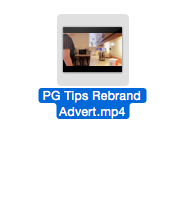
For this guide we will show you how to drag the rendered version of the advert into premier pro and then you go to file import, import the rendered video and it will show in media window.
This is the rendered file ----->

All the clips will be arranged into the media folder down the bottom left and once moved onto the timeline you are able to cut down the clips so that it is correctly adjusted to how you want it.

In premier pro there are two different tracks for both audio and video, it is possible to add in different effects such as fade ins, black outs etc.

When you are happy with your edit you then proceed to file>export and this will render the video so that everything is placed together to prevent clips from moving. After the import is finished then you are able to edit the contrast/color etc to touch up the finished piece. We didn't have to enhance brightness/color or anything in ours so we left it how it was.
Monday, 18 January 2016
Pitch feedback and reflections
What did you do well?
I think that my presentation was and clear and i included as much information i could to allow the audience to understand my idea. I tried to involve eye contact as much as possible to engage my audience. i avoided looking at the board and used my q cards to show i had studied the presentation without reading word for word.
What would you do differently?
If i was to do it again i would be more confident and loud whilst presenting. I also think that although i did involve minimal eye contact i would definitely try to use it more. I would spend more time learning the presentation so that q cards and the board would not be needed. This way the audience will see how well my presentation skills are. I would also slow my self down as i noticed during my presentation i was speeding through the slides due to nerves.
What was the class feedback?
The feedback i got from the class wasn't great as i had only a few people saying i involved eye contact and that i should slow down, but apart from the negative feedback i got some positives saying how my information involved was good and how the presentation was well structured and how the colours matched the Ben and Jerry's theme.
Pre-production PG Tips paperwork
 Location Release #1
 Location Release #2
 Shot List
 Receipt (our items highlighted in green)
 Budgeting
 Location Recee #1
 Risk Assessment
  Location Recee #2
 Production Schedule
  Adult talent release
 Minor talent release #1
 Minor talent release #2
 Location recee #3
Storyboard #1

Storyboard #2

Storyboard #3

Storyboard #4
Subscribe to:
Posts (Atom)